Your sales team probably looks for verified data before launching an outreach campaign. But how often does anyone ask when the last time was that data was verified? A contact record may have been accurate the day it was checked, but by the time the first email goes out, it may already be out of date.
B2B contact data loses roughly 2.1% of its accuracy every month, according to CleanList (CleanList). That means that a list that was fully accurate on January 1 can degrade by more than 12% by the end of Q2 if left untouched.
This is why verification timing matters as much as verification itself. Verification timing refers to how recently a contact record was checked against a live, current source, as opposed to when it was first collected or last confirmed on a provider's own schedule. Job changes, promotions, and deactivated email addresses can quietly turn reliable data into a liability, and teams end up chasing leads with information that's no longer useful. Real-time verification addresses this by checking contact data at the moment it's used rather than on a fixed schedule, giving reps a better chance of reaching someone who can actually respond.
When We Measure Data Accuracy, We Ignore Data Freshness
The fact that data was accurate the moment it was collected doesn't mean it will stay useful. It may have been gathered weeks or months before a rep ever uses it to reach out.
Accuracy Is Only a Snapshot
Verification confirms that a contact record was accurate at the moment it was checked. But it doesn't guarantee that the same information will hold up next week, or even tomorrow.
The longer the gap between verification and outreach, the greater the risk that a rep acts on outdated information. Real-time verification closes that gap by checking data at the moment it's deployed, rather than on a fixed cycle.
Data Decay Doesn’t Wait for Your Next Campaign
People change jobs, earn promotions, move between departments, and switch email addresses regularly. Within a 12-month window, 65.8% of business contacts change their job title or function, and 37.3% of professional email addresses are modified or deactivated entirely (Landbase).
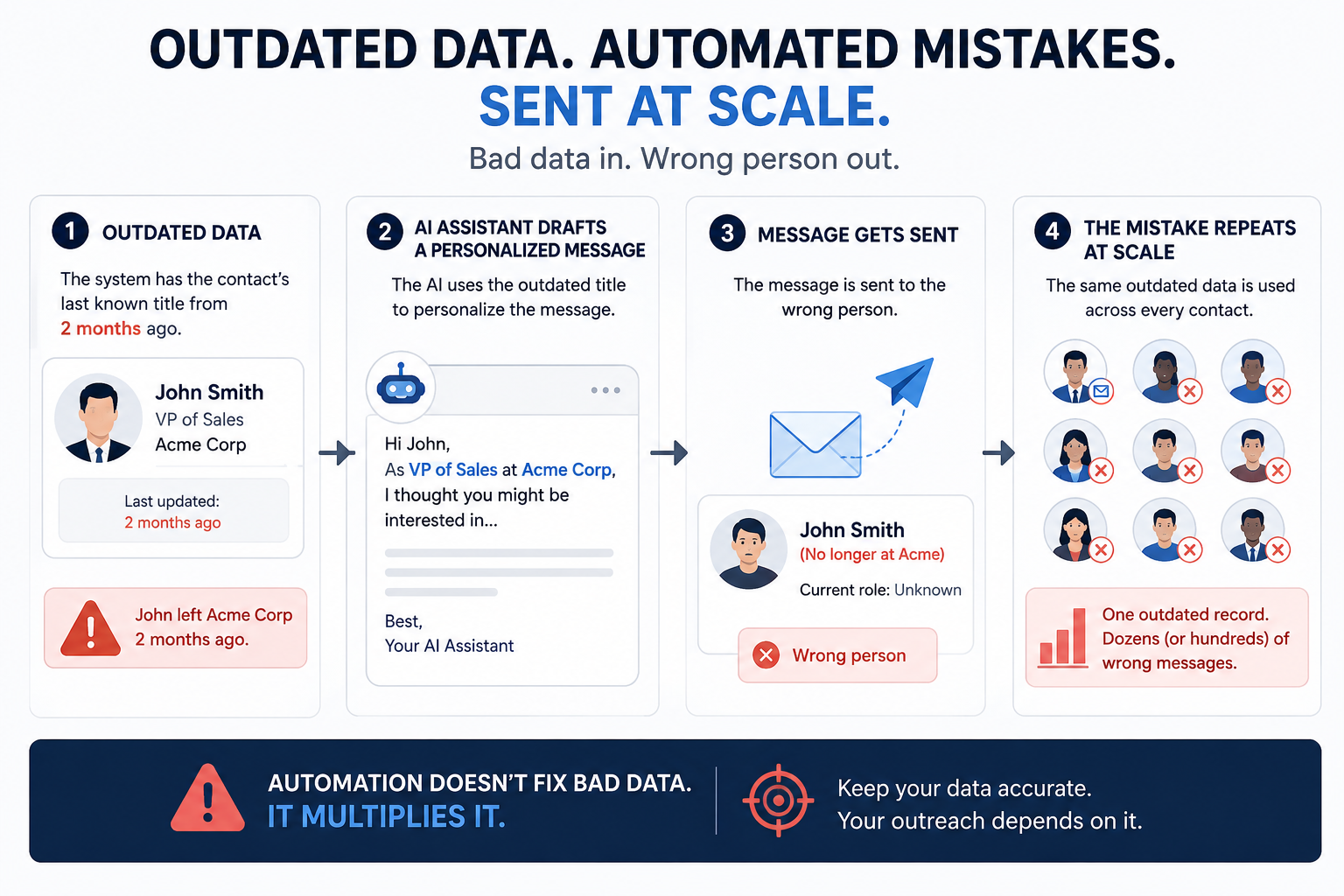
A deactivated email can sit unnoticed in a sales team's contact data for months, quietly wasting the time spent writing outreach that never lands. Automation can make this worse rather than better: an AI assistant might draft a personalized message based on a contact's last known title, unaware the person left the company two months earlier. The message still gets sent. It just goes to the wrong person, and because the process is automated, the same mistake repeats across every contact built on that same outdated data.
Verification Timing Changes Every Stage Of Prospecting
Verification timing shapes the entire prospecting process, starting well before a rep builds a list, and problems introduced early tend to follow a contact through research and outreach. Cleanlist reports that campaigns targeting contacts verified within the last 0 to 3 months see a 25% open rate and a 3% reply rate (Cleanlist). For contacts verified 12 to 24 months ago, those numbers drop to 12% and 1% (Cleanlist).
Before Building A Prospect List
Outdated job titles, company details, and employee counts can bring the wrong contacts into a prospect list in the first place, often leading reps to target people who no longer fit the ideal customer profile.
During Prospect Research
Reps often compensate for questionable data by manually checking company websites and professional profiles. Some account research is a normal part of the job, but confirming basic contact details shouldn't consume time that could be spent selling.
Before Outreach Begins
Contact data starts aging the moment it's added to a list, sometimes weeks before a campaign even launches. As data ages, the odds of reaching the right person decline, and as employees change roles internally, outreach that was once well-targeted can quickly become misaligned with who the person is now.
The Hidden Costs Of Verifying Too Late
Verifying data too late is costly. It slows the sales process down with manual checks, and it leads to weaker, less personalized outreach.
Lost Selling Time
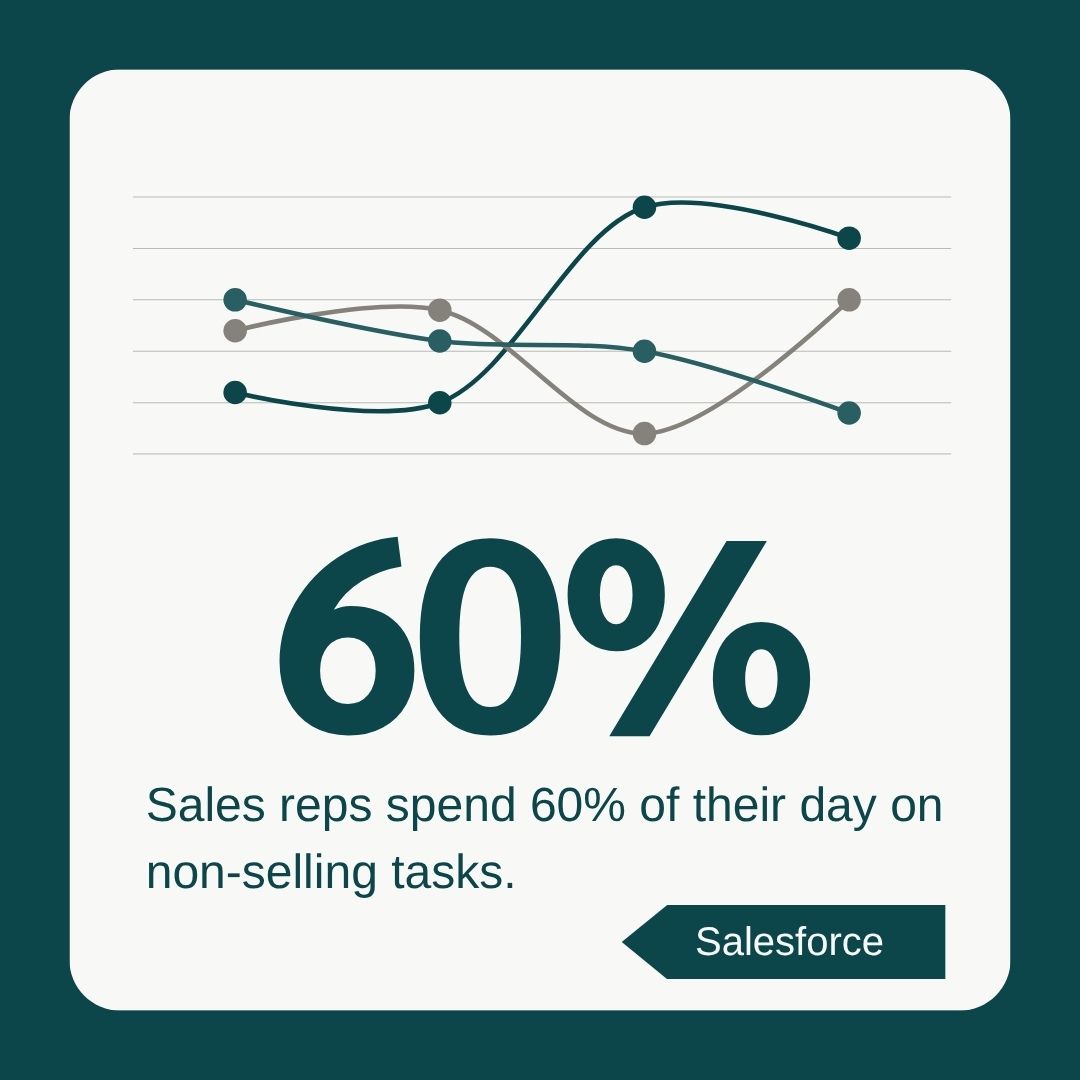
Every minute a rep spends checking a job title, email address, or company detail is a minute not spent talking to buyers. Salesforce reports that sales reps already spend 60% of their working time on non-selling tasks, meaning that more than half of their average day is spent on tasks that aren’t directly feeding the sales pipeline (Salesforce).
Lower Deliverability
Outdated email addresses increase bounce rates and shrink the number of prospects a campaign actually reaches. Repeated bounces can also damage sender reputation, making future emails more likely to be flagged as spam, which means the cost isn't limited to the outdated contacts themselves. It can ultimately pull down deliverability for the whole campaign. And once your deliverability scores take a hit and your sender reputation is damaged, it's hard to recover from.
Poor Pipeline Quality
When inaccurate data enters at the top of the funnel, it affects every stage that follows. Reps may spend time pursuing contacts who've left the company, changed roles, or no longer match the target profile. Activity metrics can still look healthy since calls are being made and emails are being sent, but the pipeline behind those numbers holds fewer viable buyers than it appears to.
Less Reliable Forecasting
Forecasts depend on accurate information about each opportunity's current status. If a key contact leaves and the CRM record isn't updated, the opportunity can still look active even though a rep now needs to identify and engage a new decision-maker. Outdated records can mask that loss, making an opportunity look further along the pipeline than it really is and leading sales leaders to overestimate pipeline health and expected revenue. Your entire forecast for the quarter could be drastically off base because your data is inaccurate.
Stale data carries a real cost. According to Gartner, poor data quality costs mid-market organizations an estimated $12.9 million to $15 million annually, and companies lose an average of 16 viable opportunities per quarter to unreliable data alone (IBM).
Why Sales Leaders Should Start Measuring Verification Timing
Sales leaders already track accuracy, bounce rates, and connect rates, but these metrics won’t tell you when the underlying data was last refreshed. Measuring verification timing fills that gap.
Questions To Ask Every Data Provider
Now that we’ve covered the stakes involved when verification timing is off, and data that appears fresh is actually old, hopefully you see the value in verification timing. You may not be ready to buy with your credit card in hand, but maybe you’re open to shopping around for data providers. If the latter is true, we have some questions to ask as you window shop.
Begin by asking vendors to explain how their verification process works in practice:
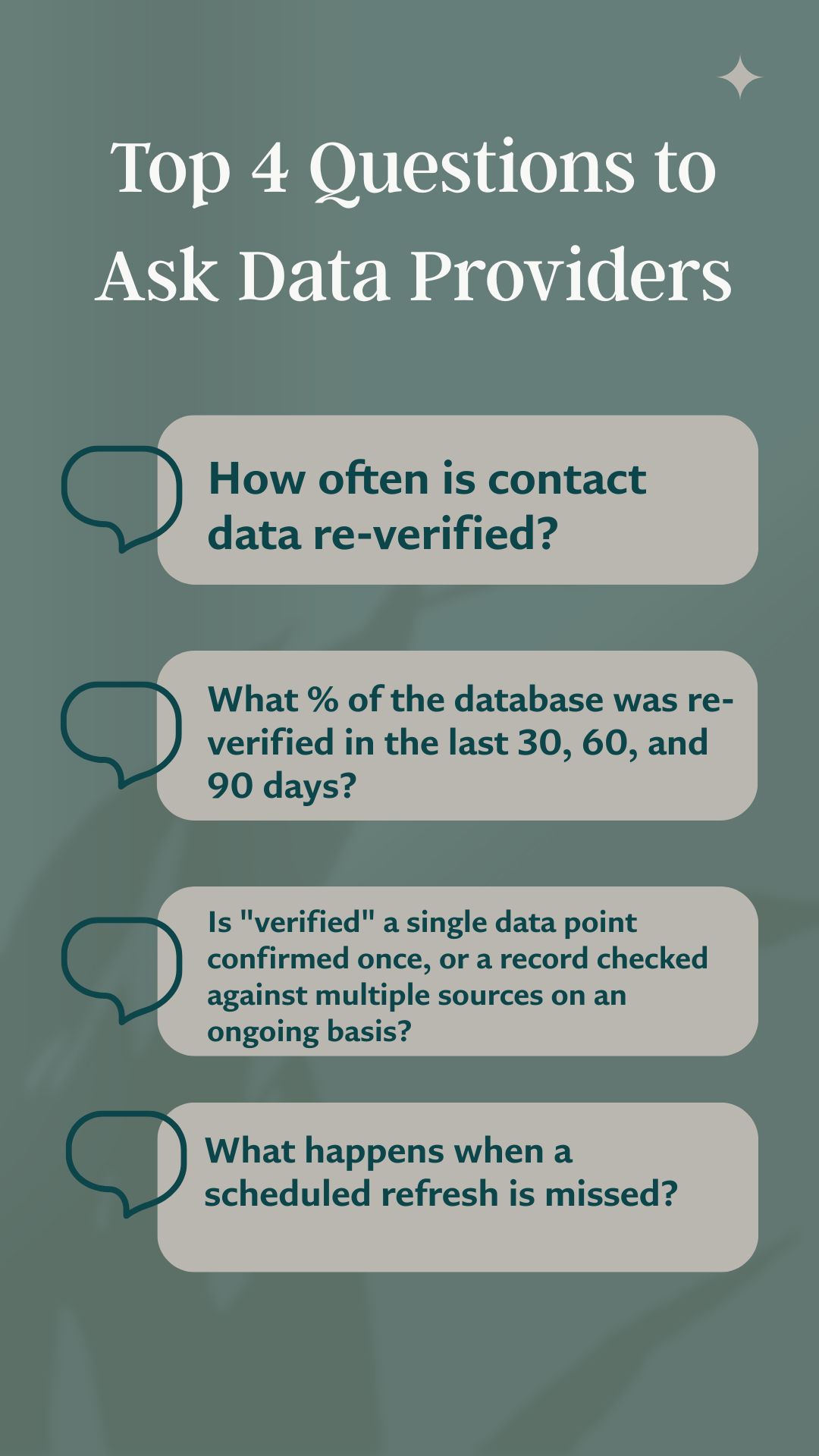
- How often is contact data actually re-verified, not just whether it's verified at all.
- What percentage of the database was re-verified in the last 30, 60, and 90 days?
- Is "verified" a single data point confirmed once, or a record checked against multiple sources on an ongoing basis?
- What happens when a scheduled refresh is missed? Is there a fallback, or does the record sit stale until the next cycle?
These questions expose the gap between a provider's accuracy claims and what a team is actually working with.
Metrics Worth Tracking
Track the age of contact records at the point reps actually use them, and compare records verified in the last 30, 60, and 90 days against bounce rates and conversions.
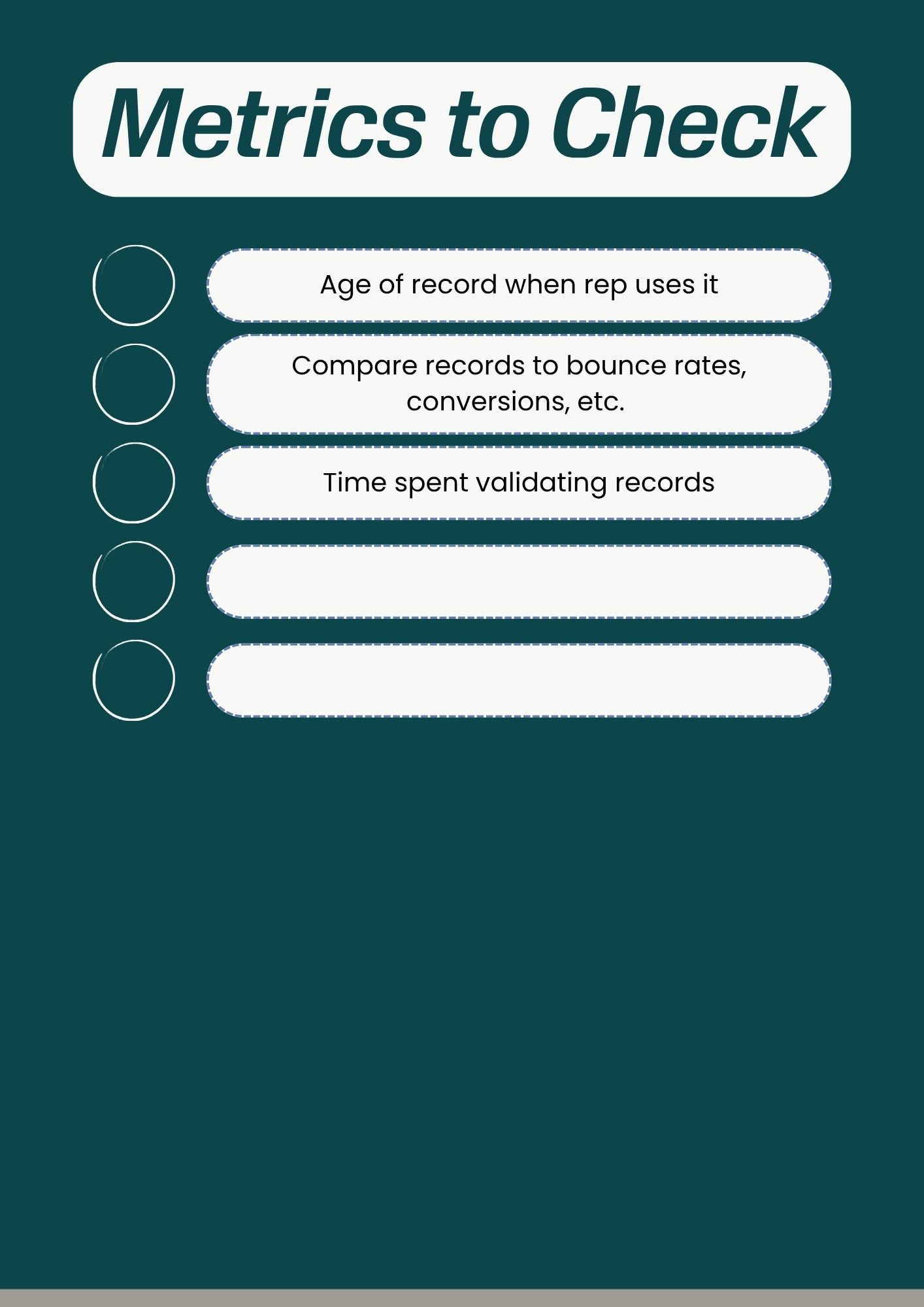
It's also worth measuring how much time reps spend validating basic information before outreach even begins, since that number reveals how much stale data is quietly costing the team.
Why Real-Time Verification Changes The Equation
Most data providers refresh on a 30 to 90 day cycle. Even providers built specifically around verification aren't exempt from this. SalesIntel, for example, states on its own site that its human-verified contact records are re-verified every 90 days, meaning a record can be nearly three months old by the time a rep accesses it (SalesIntel).
Real-time verification closes that gap by checking data the moment a rep searches for it rather than on a scheduled cycle. Teams that prioritize real-time verification see cold campaign response rates improve by 20% and keep bounce rates well under the 2% threshold considered safe for sender reputation. Shortening the gap between when data is checked and when it's used means fewer outdated contacts entering a prospect list, less time spent manually cross-referencing details, and more time to have actual conversations with buyers.
Verification timing should become a standard part of how sales leaders evaluate and report on their data providers.
Closing the Verification Gap
Better sales outcomes start with fresher data. Static, periodically refreshed databases carry a built-in timing gap no matter how rigorous their verification process is, since a record is only as current as its last scheduled check.
Seamless' Prospector verifies contact data in real time, at the moment a rep searches, rather than on a fixed refresh cycle. Total AI gives each contact a confidence score so reps know how reliable a piece of information is before they act on it, and Job Changes flags the moment a contact switches companies or earns a promotion, so a title change doesn't sit undetected for months the way it would with a static database.
See Seamless in Action to explore the platform, or dive into more B2B prospecting strategies to keep learning how real-time data changes outbound results.
Sources:
- Cleanlist, B2B Data Decay: 22% Lost Per Year. https://www.cleanlist.ai/blog/2026-01-22-b2b-data-decay-statistics
- Landbase, Data Decay Rate Statistics: 20 Critical Facts Every GTM Leader Should Know in 2026. https://www.landbase.com/blog/data-decay-rate-statistics
- Cleanlist, B2B Data Decay: 22% Lost Per Year. https://www.cleanlist.ai/blog/2026-01-22-b2b-data-decay-statistics
- Salesforce, 40 Sales Statistics that Reveal How Teams Can Succeed in 2026. https://www.salesforce.com/sales/state-of-sales/sales-statistics/
- IBM, What Is Data Quality? https://www.ibm.com/think/topics/data-quality
- SalesIntel, Understand Human, Email, and Machine Verified Records. https://support.salesintel.io/hc/en-us/articles/4404044888217-Understand-Human-Email-and-Machine-Verified-Records